7 Tips for Choosing the Best Beauty Board Software?

Time:2026-10-24 Author:Ethan
0%

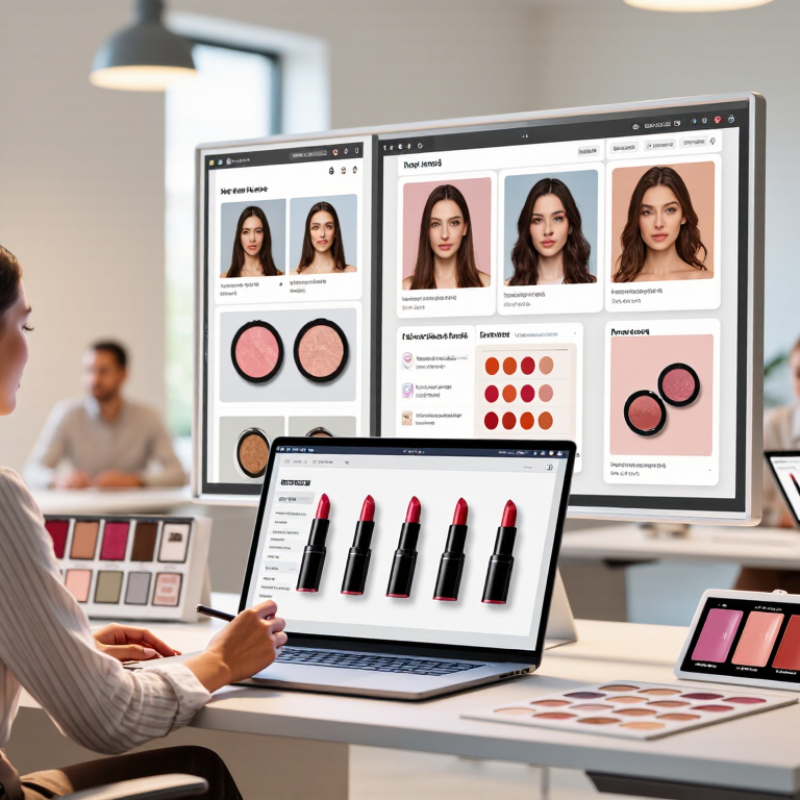
Choosing the right platform begins with a practical question: what is the best beauty board software for your team’s daily work? The answer depends on how beauty professionals plan collections, organize product images, review campaign concepts, and share feedback. A strong platform should feel clear at 9 a.m., when a designer is comparing five lipstick shades before a client meeting.

User experience matters greatly. Information-architecture expert Peter Morville said, “Findability precedes usability.” His point applies directly to beauty board software. If a stylist cannot locate a saved reference image, ingredient note, or approval comment within seconds, the board becomes another source of delay. The seven tips in this guide examine visual organization, collaboration tools, template flexibility, file quality, integrations, privacy controls, and total cost. These areas reveal whether software supports real beauty workflows or simply looks attractive during a product demonstration.

Look beyond polished screenshots. Test the platform with actual materials, including product photos, shade names, campaign notes, and client revisions. Watch how quickly a new user creates a board and exports a presentation. Small friction matters. Very much.

No tool is perfect. One platform may offer beautiful templates but weak permission settings. Another may provide excellent collaboration yet feel awkward on mobile devices. That trade-off deserves honest attention. Experience from trial projects can expose problems that feature lists hide, while transparent pricing and responsive support strengthen trust. This guide offers a grounded way to compare beauty board software, helping teams choose a system that remains useful after the excitement of launch disappears.

7 Tips for Choosing the Best Beauty Board Software?

Define Your Beauty Board’s Core Needs and Workflow

Choosing the best beauty board software starts with your actual studio routine, not a feature list. Map each step from client brief to approved board. Note who uploads references, who edits palettes, and who gives final approval. A small team may need fast commenting, while a larger agency may require permissions and version history. Record the tools you already use. This exposes duplicate work and missing handoffs. Keep it practical. Ask whether a stylist can find a shade reference during a busy fitting, or whether a client can review it clearly on a phone.

Tip 1: Define the board’s job. Is it for color direction, product curation, campaign planning, or client presentations? One board can serve several purposes, but unclear goals create clutter.

Tip 2: Sketch the workflow before testing software. Use three simple stages: collect, refine, approve. Then test one real project, including late feedback and changed files. This matters more than a polished demo.

Reliable evaluation also needs evidence. Check export quality, access controls, backup practices, and support response times. Ask for a trial with realistic images, not sample assets. Invite a designer, project lead, and client-facing colleague to test it. Their experiences may conflict, which is useful. I once favored a visually elegant tool that slowed approvals because comments were hard to track. That mistake changed my checklist. Leave room for learning. Your first workflow map may be incomplete.

Compare Essential Features for Scheduling, Clients, and Payments

7 Tips for Choosing the Best Beauty Board Software

A reliable beauty board should make scheduling feel calm, even on a fully booked Saturday. Check whether the calendar updates instantly across staff devices. Look for adjustable service times, travel gaps, recurring appointments, and automatic reminders. A five-minute buffer can prevent one late client from disrupting the whole day. Test cancellation and rescheduling workflows before committing. They reveal hidden friction.

Client tools deserve equal attention. Choose software that stores contact details, service preferences, allergy notes, and appointment history in one clear profile. Permission controls matter when several people handle client records. Search should find a regular client within seconds, not after endless scrolling. Useful communication tools can send confirmations, follow-ups, and preparation instructions. Keep messages editable. Templates often sound strangely cold.

Payment features must be practical, transparent, and easy to verify. Compare deposits, card payments, digital receipts, refunds, tips, and failed-payment alerts. Confirm whether the system separates staff earnings from business revenue. Daily reports should match the money in your account without manual detective work. I once focused too heavily on attractive dashboards and missed weak refund controls. That was a costly oversight. Request a live demonstration and run a sample booking, cancellation, payment, and refund. Also examine data export, customer support response times, and security documentation. A polished interface is helpful, but dependable records and predictable payments matter more.

Assess Usability, Customization, and Team Accessibility

7 Tips for Choosing the Best Beauty Board Software

Assess Usability, Customization, and Team Accessibility

Choosing beauty board software starts with watching how people use it under pressure. A clean interface matters when a designer is comparing shades, textures, and reference images quickly. Test the search function with real project files, not sample content. Can a new team member find the correct board within minutes? If not, the software may create extra work.

Customization should support your process without becoming a technical project. Look for adjustable labels, approval stages, image ratios, and reusable templates. A useful board might separate formula notes from campaign visuals. It should also preserve image quality when files are uploaded or exported. I once overlooked export settings and lost color accuracy in a presentation. That mistake changed how I assess visual tools.

Team accessibility is equally important. Check browser access, mobile performance, permission controls, comments, and notification settings. A photographer may need to upload images, while a client should only review selected materials. Clear version history prevents confusion when several people edit one board. Short loading times help too. Nobody enjoys waiting.

Ask whether the platform supports secure backups and dependable customer assistance. Read independent reviews, but test the software yourself before committing. A polished demo can hide awkward daily steps. Invite three users with different roles to complete the same task. Their feedback may expose problems you would miss alone.

7 Tips for Choosing the Best Beauty Board Software

Recommended evaluation weighting based on practical software-selection criteria, with emphasis on usability, customization, and team accessibility.

Prioritize ease of use and team accessibility first, then assess customization, collaboration, workflow support, security, and scalability before making a decision.

Review Security, Integration Options, and Technical Support

Choosing the best beauty board software requires more than attractive screens. Security starts with clear controls. Check encryption during storage and transfer, multi-factor authentication, role-based access, and detailed activity logs. Ask where client images and consultation notes are stored. Confirm how often backups run and how quickly users are notified about security incidents. A polished interface cannot repair weak protection.

Integration options should match your daily workflow. Look for secure APIs, single sign-on, calendar connections, payment tools, and simple data exports. Webhooks can reduce manual updates between booking, consultation, and inventory systems. Test integrations in a sandbox before committing. I have seen teams assume compatibility, then discover that important fields do not transfer correctly. That mistake creates duplicate records and wasted hours.

Technical support is part of the software, not an optional extra. Review support hours, response targets, onboarding help, and documentation quality. Test the support channel with a practical question before signing a contract. A useful answer should explain the cause, not only offer a generic link. Check whether assistance includes setup, training, and recovery guidance. No service is flawless. I would still question unclear promises and ask for measurable support terms. Small details matter.

Calculate Pricing, Scalability, and Long-Term Value

7 Tips for Choosing the Best Beauty Board Software?

Calculate Pricing, Scalability, and Long-Term Value

Start with the full cost, not the monthly headline. Add setup, training, payment processing, data migration, and premium support. Request a three-year estimate with realistic staff growth. McKinsey projects the global beauty market could reach $580 billion by 2027, growing about 6% annually. Your software should grow with that demand. Check whether pricing changes by user, location, appointment volume, or feature access. Hidden limits hurt.

Test scalability before signing. Ask for a live demonstration with multiple locations, busy booking periods, inventory updates, and detailed reporting. Confirm export options and integration capacity. Flexera’s 2024 State of the Cloud Report found that 84% of organizations struggle to manage cloud costs. Beauty businesses face the same risk when unused features remain active. Start small. Measure actual usage.

Evaluate long-term value through measurable outcomes. Track fewer missed appointments, faster checkout, lower administrative hours, and stronger repeat visits. Request security documentation, uptime records, backup policies, and support response targets. Industry experience matters; ask how the system handles real salon workflows, not polished sales examples. A spreadsheet may still work for a solo professional. That is not failure. However, choosing advanced software too early can waste cash. Reassess after ninety days, compare promised results with actual records, and keep a clear exit plan. The cheapest option is rarely the lowest-cost decision.

FAQS

What scheduling features should beauty board software include?

Look for instant calendar updates, adjustable service times, travel gaps, recurring bookings, and automatic reminders. Five-minute buffers help protect busy Saturdays.

Why should cancellation and rescheduling workflows be tested?

They expose hidden friction. Run a sample booking, cancellation, and rescheduling process before choosing the software.

What client information should one profile store?

A clear profile should include contact details, service preferences, allergy notes, and appointment history. Search should find regular clients within seconds.

How can teams communicate more effectively with clients?

Use editable confirmations, follow-ups, and preparation instructions. Fixed templates can sound cold. Human review still matters.

Which payment tools deserve close attention?

Compare deposits, card payments, digital receipts, refunds, tips, and failed-payment alerts. Reports should match your account without detective work.

How can a team protect client and project information?

Check permission controls, secure backups, export options, and security documentation. Different users should see only necessary materials.

What makes visual board software easy to use?

Test real project files, not sample content. Users should find the right board within minutes. Short loading times help too.

Which customization options are useful for beauty projects?

Look for adjustable labels, approval stages, image ratios, and reusable templates. Separate formula notes from campaign visuals when needed.

How important are image quality and export settings?

Very important. Poor export settings can reduce color accuracy during presentations. I once missed this detail, and the result was disappointing.

How should a team evaluate software before committing?

Invite three users with different roles. Ask them to complete the same task. Their complaints may reveal problems a polished demo hides.

Conclusion

Choosing the right beauty board software begins with understanding your business’s daily workflow, client volume, team structure, and growth plans. Start by identifying the tasks you need to manage, such as appointment scheduling, client profiles, service records, reminders, payments, staff coordination, and reporting. Then compare platforms based on essential features, making sure they support smooth booking, secure transactions, clear client communication, and efficient calendar management.

Ease of use is equally important, especially when multiple team members need access from different devices. Look for customizable settings, flexible permissions, reliable integrations, strong data protection, and responsive technical support. It is also helpful to compare pricing models, including setup fees, subscriptions, and additional user costs. The best choice should offer practical value today while remaining scalable as your services, staff, and customer base expand. Asking “what is the best beauty board software” ultimately depends on how well a solution fits your specific operations, budget, and long-term goals.

Ethan

Ethan

Ethan is a seasoned marketing professional with a deep expertise in our company's innovative product line. With a passion for sharing knowledge and insights, he takes the lead in regularly updating our corporate blog, where he explores industry trends, product features, and effective marketing......